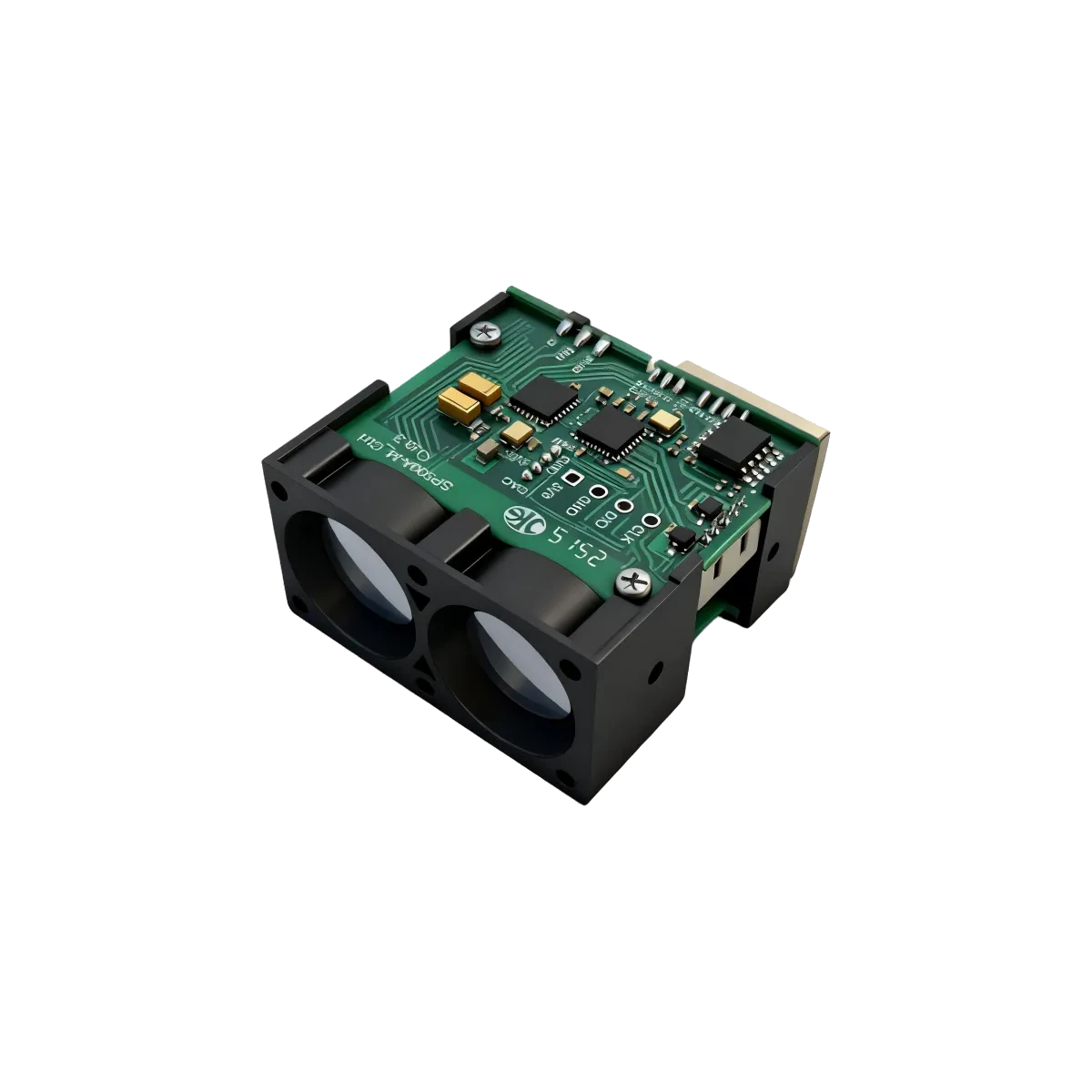
For an LRF600H industrial distance logger, reset a receive-gap alarm only when the parser accepts a complete, protocol-checked report. Incoming bytes alone do not prove that reports are getting through. Keep a separate clock for usable distance values: an intact report can describe an unavailable measurement.
Start with both documented rates
The current LRF600H documentation specifies 1 kHz or 50 Hz, switching automatically to match echo strength. ERDI checked that entry on 2 October 2026. Calculating P = 1/f gives nominal periods of 1 ms and 20 ms. The frequency entry does not establish a maximum host arrival gap, a transition duration or a first-report deadline.
A 5 ms silence threshold might appear comfortable in a synthetic stream arriving every 1 ms. In a synthetic 20 ms stream, it expires before the next on-time report. Here, one report per measurement with uniform delivery is an explicit example assumption, not a verified firmware behavior. Do not turn either nominal period into a guaranteed communication deadline.
Our filter timing note already explains elapsed-time smoothing and separate freshness handling. This note adds a diagnostic contract: which events reset each clock, and exactly when a receive-gap alarm changes state.
Record three different event times
Use one monotonic time base, with an unset state until each event first occurs. Python’s official time reference documents a clock that is unaffected by system-clock adjustments; elapsed durations come from differences between its readings. Do not compare its raw values with calendar timestamps. Log calendar time separately if needed.
| Clock | Update it when | What it establishes |
|---|---|---|
| Last byte | The receiver delivers bytes | Input activity, including possible noise or partial data |
| Last checked report | A complete report passes the selected format’s protocol checks | A report reached the parser, even if its distance is unavailable |
| Last usable distance | That report also passes documented measurement-validity and application checks | The host accepted a distance at that reception time |
An empty read updates none of these clocks. A partial report or checksum failure must not refresh the last-checked-report clock. A checked report with an unavailable distance refreshes that clock but not the last-usable-distance clock. Count these events separately. An unchanged distance can still be a new usable observation; numerical change is not the reset condition.
Host reception time is not optical acquisition time. Queued old reports can look recent when delivered together. These clocks diagnose the receive path; they cannot establish measurement freshness before reception. Retain any known queue delay or timing uncertainty alongside the value.
Write a threshold as a design assumption
For a software exercise, choose a nominal period budget N = 3 and an additional delivery allowance J = 5 ms. Using the slower nominal period, calculate T = N × P + J = 3 × 20 ms + 5 ms = 65 ms. Both N and J are invented host choices. Neither the allowance nor the resulting threshold is specified or recommended by ERDILRF for the module.
Once a checked report has been accepted, define age = now − last_checked and assert the alarm when age ≥ T. N is a number of nominal periods chosen for this exercise, not a count of lost reports inferred from silence. Startup needs its own application-defined deadline because no last-checked time exists yet.
Evaluate this rule independently of receive callbacks. If no further checked report is accepted and the check interval is bounded by Q, the alarm is evaluated between T and T + Q after the last checked report. With an illustrative Q of 10 ms, that is 65–75 ms. This bound assumes the checking task actually runs within every 10 ms; the Python time reference also explains why a requested sleep can last longer because of scheduling.
For deterministic replay, process reports accepted at a test timestamp before evaluating the alarm at that same timestamp. A different ordering can create a one-cycle alarm at the boundary. Serialize those state updates, and document the ordering used in the real host.
Replay the boundary and diagnose the result
Initialize the last checked report at simulated time zero. Run each case independently, restoring the initial timestamps before replay. Use the 65 ms example threshold and explicit test-clock advances; no physical sensor is needed for these logic checks.
- Check the threshold: with no new reports, evaluate at 64.999 ms and expect no receive-gap alarm; evaluate at 65 ms and expect the alarm. The decimal is a test input, not a required timer resolution.
- Inject only bytes: supply an incomplete report at 60 ms. At 65 ms, expect recent byte activity and an asserted receive-gap alarm. Investigate framing or incomplete delivery before concluding that the sensor is silent.
- Inject a checked but unusable report: accept it at 60 ms. At 65 ms, the report age is 5 ms, so this alarm is clear. The usable-distance clock stays unchanged; the display must still apply its separate validity and age rules.
- Resolve the equality case: accept a checked report at 65 ms before the alarm check. Its age is zero and the alarm is clear under the declared ordering. A usable report also updates the distance clock; an unusable one does not.
- Exercise the rate change and total silence: replay checked reports at 0, 1, 2, 22 and 42 ms, then stop. With checks at those arrivals, 106.999 ms and 107 ms, expect the first alarm at 107 ms. If the checking task pauses, record the later detection instead of claiming the ideal bound.
Before choosing a production threshold, record actual arrival gaps and host scheduling under the intended operating conditions, then compare the allowed delay with the logger’s requirements. An observed maximum is evidence about that recording, not a universal module guarantee. These are proposed software acceptance checks and calculated examples, not hardware test results. For a documentation review, contact ERDILRF with the model, selected output format and a timestamped trace that separates bytes, checked reports and usable distances.